Local branches can be replicated in a remote.
Pushing a copy of local branches to the corresponding remote repo makes those branches available remotely.
In a previous lesson, we saw how to push the default branch to a remote repository and have Git set up tracking between the local and remote branches using a remote-tracking reference. Pushing any other local branch to a remote works the same way as pushing the default branch — you simply specify the target branch instead of the default branch. After that, you can push new commits from that local branch to the corresponding remote branch in the same way.
gitGraph BT:
    %%{init: { 'theme': 'default', 'gitGraph': {'mainBranchName': 'main'}} }%%
    commit id: "m1"
    branch bug-fix
    checkout main
    commit id: "[origin/main][HEAD → main] m2"
    checkout bug-fix
    commit id: "[bug-fix] b1"
    checkout main
[bug-fix branch does not exist in the remote origin]
→
gitGraph BT:
    %%{init: { 'theme': 'default', 'gitGraph': {'mainBranchName': 'main'}} }%%
    commit id: "m1"
    branch bug-fix
    checkout main
    commit id: "[origin/main][HEAD → main] m2"
    checkout bug-fix
    commit id: "[origin/bug-fix][bug-fix] b1"
    checkout main
[after pushing bug-fix branch to origin,
and setting up a remote-tracking branch]
Preparation
Now, the repo should look something like this:
gitGraph BT:
    %%{init: { 'theme': 'default', 'gitGraph': {'mainBranchName': 'main'}} }%%
    commit id: "m1"
    commit id: "m2"
    branch track-sales
    checkout track-sales
    commit id: "[origin/track-sales] s1"
    checkout main
    commit id: "[origin/main][origin/HEAD][HEAD → main] m3"
The origin/HEAD remote-tracking ref indicates where the HEAD ref is in the remote origin.
1 Create a new branch called hiring, and add a commit to that branch. The commit can contain any changes you want.
Here are the commands you can run in the terminal to do this step in one shot:
git switch -c hiring
echo "Receptionist: Pam" >> employees.txt
git commit -am "Add Pam to employees.txt"
gitGraph BT:
    %%{init: { 'theme': 'default', 'gitGraph': {'mainBranchName': 'main'}} }%%
    commit id: "m1"
    commit id: "m2"
    branch track-sales
    checkout track-sales
    commit id: "[origin/track-sales] s1"
    checkout main
    commit id: "[origin/main][origin/HEAD][main] m3"
    branch hiring
    checkout hiring
    commit id: "[HEAD → hiring] h1"
The resulting revision graph should look like the one above.
2 Push the hiring branch to the remote.
You can use the usual git push <remote> -u <branch> command to push the branch to the remote, and set up a remote-tracking branch at the same time.
git push origin -u hiring
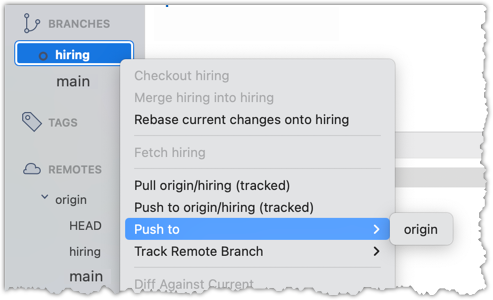
3 Verify that the branch has been pushed to the remote by visiting the fork on GitHub, and looking for the origin/hiring remote-tracking ref in the local repo.
done!